Popular Searches:
Recommended Posts


Search Results


Setting up your website to look sleek and professional shouldn’t be a headache. With the Newspaper WordPress Theme, a beautifully designed News & WooCommerce theme, you can start sharing your stories or selling with style in no time.
But here’s the catch: theme installation and configuration can get technical. That’s where I come in! Offering expert installation services, I’ll handle the setup, so you can focus on what matters most: publishing great content and growing your audience.
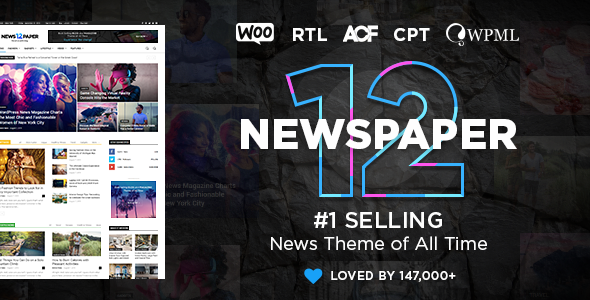

Tailored for news-rich layouts – Perfect for blogs, magazines, and news sites.
WooCommerce integration – Seamlessly integrates an online store.
Drag-and-drop page builder – Build stunning pages without any coding.
Responsive and fast – Optimized for mobile and performance (implied from its popularity).
Dedicated support – The item comes with “great support and friendly help”
To run the Newspaper WordPress Theme, you’ll need:
PHP 7.4 or higher
MySQL 5.6+ (or MariaDB equivalent)
WordPress 6.0 or later
Minimum 128 MB PHP memory limit (256 MB recommended)
Enabled allow_url_fopen, GD Library, and cURL
(Note: Double-check with the most recent theme documentation for updates HERE)
Download & Install: Upload the theme ZIP via WordPress > Appearance > Add New.
Activate: Head over to your Appearance → Themes and activate Newspaper.
Install Required Plugins: Follow the theme prompts to add necessary plugins (like a page builder and additional widgets).
Import Demo: Use the theme interface to import a demo layout that fits your style—news site, blog, or WooCommerce storefront.
Customize: Update colors, fonts, menus, and layouts via Theme Panel.
Go Live: Once it aligns with your branding, launch! If you’d rather not handle these steps alone, that’s exactly where my professional installation service comes in.
| Pros | Cons |
|---|---|
| Beautiful design ideal for news | Initial customization may overwhelm beginners |
| WooCommerce ready | Extra plugins may add complexity |
| Drag-and-drop builder simplifies design | Slight learning curve for non-tech users |
| Responsive and SEO-friendly | Theme updates require proper management |
| Comes with friendly support | Reach out to me HERE |
| Package | Price | What’s Included |
|---|---|---|
| Basic | $50 | Theme upload & activation, demo import |
| Standard | $100 | Includes basic and analytics setup and 1 month of free maintenance |
| Premium | $150 | Includes basic SEO and analytics setup + 3 months of free maintenance |
Ready to get your site up and running with ease? Let me handle the technical stuff so you can focus on creating content. Whether you want a basic Kindle install or full SEO and analytics setup, I’ve got a plan tailored to your goals. Reach out today to unlock the full potential of your Newspaper theme without lifting a finger!